Free template
Free Commercial Invoice Template (PDF, Word & Excel)
A commercial invoice records goods sold by the exporter to the buyer and the amount the buyer is to pay. It is also one of the documents customs uses to assess duties. It is not merely a packing list or a declaration with no billing role. Use this template to organize transaction and shipment information, then check current destination and carrier requirements with the importer, forwarder or authority. This common-field guide does not guarantee customs clearance.
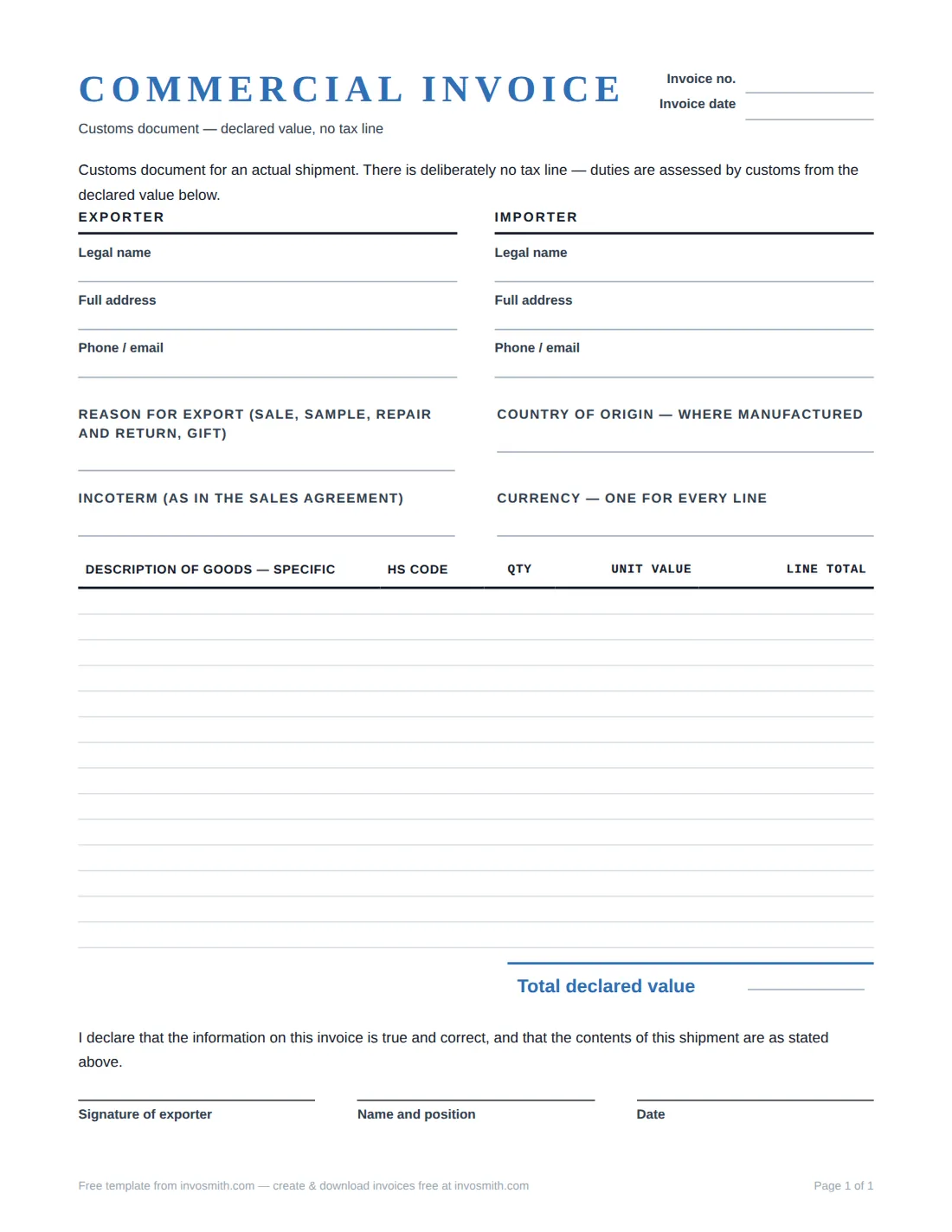
Download the commercial invoice template
Commercial Invoice Template (PDF / Word / Excel)
PDF, Word and Excel layouts for recording seller and buyer, invoice reference, shipment details, goods, quantities and values. Check the actual file and destination requirements before use; this page does not classify goods, calculate duty or promise that a particular form is accepted by customs.
Choose a file format that fits your workflow. Check the completed goods, values, parties and shipment details against the actual sale and destination requirements before sending.
Commercial invoice vs proforma invoice
The proforma invoice template is for a preliminary proposal. The commercial invoice records the actual sale and is used in the export-document process. Keep the references consistent but check the final shipment entries rather than copying a preliminary estimate unchanged.
U.S. International Trade Administration guidance distinguishes the commercial invoice from a packing list, which describes packages and their contents and does not replace the invoice. The required form, copies and contents can vary by destination.
Keep the proposal and final record connected without making them identical. Carry forward the buyer reference and accepted product descriptions, then replace estimated quantities, dates and values with the completed transaction. Give the commercial invoice its own invoice number so later messages can identify the final billing document directly.
Use the packing list for package-level organization and the commercial invoice for the transaction lines and values. Matching descriptions and references make the two records easier to compare, while each document still answers a different question.
Blank commercial invoice format and fields
Use the following as a practical completion checklist, not a universal customs-field requirement. Confirm destination, product and carrier instructions for your shipment:
- Exporter and importer, in full. Legal names, complete addresses, phone and email for both parties — not trading names alone.
- Invoice number and date. Enter the actual commercial invoice reference and its issue date; keep that reference consistent with the shipment records.
- Country of origin. Enter the verified origin for the goods under the rules applicable to the shipment; do not infer it from the shipping address.
- Product classification, where required. Include only verified information for the goods; ask the responsible broker or authority when uncertain rather than guessing a code.
- The goods lines. For each product: a description specific enough for customs, the quantity, the unit value, and the line total.
- Currency. State it once and use it for every line.
- Incoterm. The agreed shipping term — for example FOB, plus the named port — recorded exactly as it appears in the sales agreement.
- Goods subtotal and other amounts. Add the goods-line totals in the stated currency, and identify freight, insurance, discounts or other amounts separately where applicable. Confirm any customs valuation requirements for the shipment rather than treating the goods subtotal as a universal declared value.
- Reason for export. Sale, sample, repair and return, gift — one plain phrase.
- Declaration and signature. A line stating that the details are true and correct, signed and dated by the exporter.
How to fill in each field
Use this as a common-field guide, not a universal destination checklist. If a field, code or supporting document is unclear for your shipment, confirm it with the importer, freight forwarder, customs broker or relevant authority before shipping.
Complete the transaction fields from the sale and shipment records rather than from memory. Reconcile the buyer name, delivery party, invoice reference, currency and line totals before producing the final copy. When two fields look similar, such as sold-to and ship-to, keep both when they identify different parties or locations.
| Template field | What to enter | Why it matters | Avoid |
|---|---|---|---|
| Exporter / seller | Your full legal name, address and contact details. | Identifies who is sending the goods. | Using only a trading name. |
| Sold-to / ship-to | The buyer and delivery details; show both when they differ. | Connects the transaction and destination. | Treating payer and recipient as the same by default. |
| Invoice number / date | The actual commercial invoice reference and issue date. | Lets parties match the document to the shipment. | A reference that does not match the accompanying shipment records. |
| Goods description | Plain product facts: item, material, size, model or relevant use. | Makes goods identifiable beyond an internal SKU. | Vague labels such as "parts" or "samples". |
| Quantity / unit value | Actual quantity, unit value and line total for each item. | Supports a consistent transaction record. | Totals or quantities that differ from the order. |
| Currency | The currency actually agreed for the transaction. | Makes every value interpretable. | Mixing currencies across lines. |
| Country of origin | The origin verified under the rules applicable to the goods and shipment. | Origin may differ from the shipping country. | Inferring origin from the exporter or dispatch address. |
| HS code | A code only when confirmed for the goods. | Records a product-classification reference. | Guessing a borderline classification. |
| Incoterm | The agreed term exactly as recorded in the sales agreement. | Preserves the agreed shipment reference. | Selecting a term you do not understand. |
| Reason / declaration | The truthful reason for export and signed declaration where required. | Explains the transaction context. | Using a reason that does not match the shipment. |
Filled example
Illustrative only: this is a fictional two-line wholesale export, not a tariff-classification or tax example. The currency is USD. No HS code or origin is supplied for copying to an unrelated shipment.
Forty mugs at $18.50 are $740.00 and fifteen trays at $32.00 are $480.00; the two goods lines total $1,220.00. That figure does not decide how freight, insurance, discounts or other amounts should be treated in your transaction. Confirm those details before finalizing the document.
The example keeps product descriptions specific enough to distinguish the two lines and states one currency for every amount. It intentionally leaves classification and origin blank rather than offering reusable values for unrelated goods. Add only the information established for the actual shipment.
If the final quantity differs from the order, show the quantity actually invoiced and keep the related order or proforma reference nearby. A correction should identify the invoice number, changed line and date so the updated record can be matched to the shipment without obscuring the earlier version.
| Description | Qty | Unit value | Line total |
|---|---|---|---|
| Ceramic coffee mugs, 12 oz, glazed stoneware | 40 | $18.50 | $740.00 |
| Bamboo serving trays, 40 × 30 cm, food-grade finish | 15 | $32.00 | $480.00 |
| Total of these goods lines | $1,220.00 |
When the shipment gets held
Keep the invoice reference with your shipment records. If the carrier, importer or authority asks a question, identify the exact line and provide the requested supporting information. Keep a dated copy of any correction.
Do not invent a product code or silently lower a value to make a query disappear. For a new destination, check the current form and document requirements before the shipment leaves.
Start with the specific mismatch instead of rewriting the entire invoice. Compare the questioned description, quantity, value, currency or party detail with the sale and shipment records, then issue a clearly dated correction when the source record supports it. Keep both versions under the same transaction file.
Frequently asked questions
Is a commercial invoice the same as a proforma invoice?
No. The proforma is preliminary; the commercial invoice records the actual sale and supports the export-document process. If you are still proposing terms, use the proforma invoice template.
Who fills in the HS codes?
Use verified product-classification information and seek help from the responsible broker or authority when uncertain. The worked example supplies no tariff code.
What currency should the invoice use?
The currency of the actual transaction — whatever the buyer is really paying in — stated once and used for every line.
Is a commercial invoice the same as a packing list?
No. A packing list describes packages and contents; it does not replace the commercial invoice for the sale and customs-document process.
How many copies do I need?
Practice varies by destination and carrier; ask whoever is arranging the freight what the destination expects.