Free template
Free Excel Receipt Template (.xlsx)
This free .xlsx workbook has a printable Receipt sheet and a Log sheet. The receipt uses ordinary quantity × rate and SUM formulas for line amounts and totals; tax remains a value you enter. The log is deliberately manual: after issuing a receipt, copy its number, date, payer and total into the next row. It does not auto-record a receipt or assign the next number for you. Download the file, inspect the formulas, and keep the log in the same workbook as the receipts it tracks.
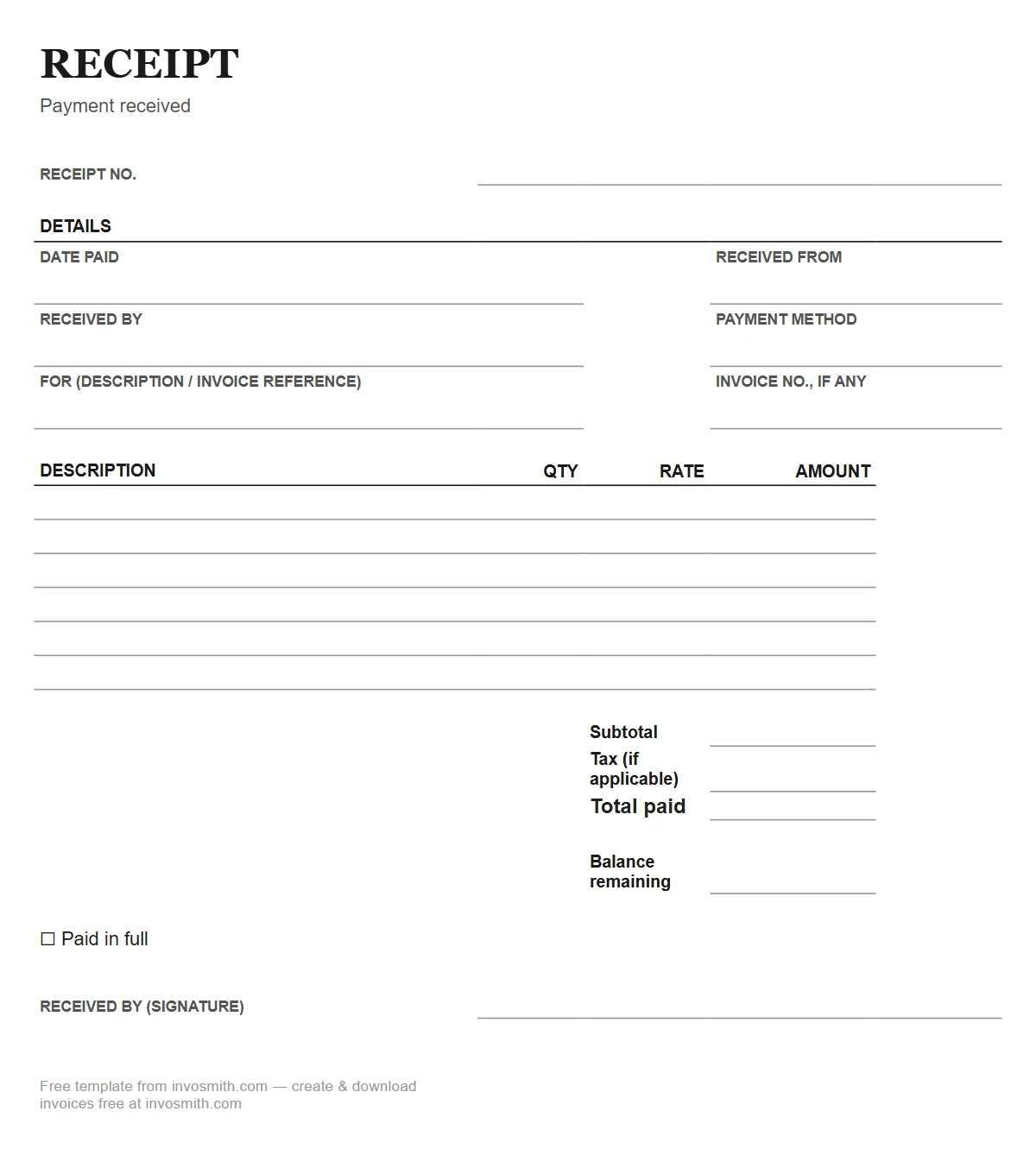
Download the Excel receipt template
Excel Receipt Template (.xlsx)
A two-sheet .xlsx workbook with a printable receipt, live line-total formulas and a manual receipt log. Opens in Excel, LibreOffice and Google Sheets.
The workbook contains ordinary quantity × rate and SUM formulas and no macros. Recalculate and check the formula results and print layout in the spreadsheet app you actually use before issuing a receipt. The log still requires a manual row for each issued receipt.
Before reusing a receipt number, compare it with the last log row. The workbook does not reserve numbers or detect duplicates.
What a receipt template in Excel actually adds
The spreadsheet adds arithmetic and a place to maintain a log. Line amounts and totals calculate from the cells you enter. The Log sheet is a manual register: after issuing a receipt, type the number, date, payer and total into the next free row. That record helps you find the last used number, but the workbook does not post entries automatically or stop duplicate numbers.
A tour of the workbook
The Receipt sheet is laid out to print as a clean half-page document. The header holds your business name and contact details, receipt number and date. The item table calculates quantity × rate for each line; the subtotal sums those amounts, the tax cell remains manual, and the total adds subtotal and tax. Enter only the tax amount that applies, or leave it at zero.
The Log sheet has receipt number, date, received-from, amount and notes columns. After issuing a receipt, copy those values into the next free row. The log gives you a place to look up the last number, but it does not automatically post the receipt, calculate a monthly total or prevent duplicate numbers.
A filled example
This fictional example shows receipt 0233 for a two-line sale paid in cash.
Receipt #0233 · July 30 · Received from: D. Okafor · Payment method: cash
Two service calls at $45.00 calculate to $90.00; the filter line calculates to $35.00; the subtotal and total before any applicable tax are $125.00. Enter tax separately when it applies. After the receipt is final, type 0233, the date, payer and final total into the Log sheet. Before using 0234, compare it with the last completed log row—the workbook does not assign it for you.
| Description | Qty | Rate | Amount |
|---|---|---|---|
| Standard service call | 2 | $45.00 | $90.00 |
| Replacement filter | 1 | $35.00 | $35.00 |
| Subtotal | $125.00 | ||
| Tax (if applicable) | — | ||
| Total before applicable tax | $125.00 |
Amount in words: a portable formula pattern
Excel has no universal built-in number-to-words function. A custom VBA function is not portable to Google Sheets or many locked-down workbooks, so this download keeps amount-in-words as an editable text field. Enter it after the total is final and compare both values before issuing the receipt.
If your organization already uses an approved number-to-words add-in, apply it in a copy and test decimals, zero, negatives and the largest amount you expect. Do not ship an untested macro in a public template.
Excel and LibreOffice checks before you issue a receipt
Open the downloaded file in the spreadsheet app you actually use. Change quantity and rate in every item row, confirm each line amount, subtotal and total, then export one filled receipt to PDF. A workbook opening successfully is not the same as every print area and formula behaving correctly.
- Formula cells: check the amount column and total after inserting or deleting a row.
- Manual tax: enter the amount that applies; the workbook does not choose a rate.
- Manual log: add one row only after the customer receipt is final.
- Print preview: confirm the receipt stays on one page and no amount column is clipped.
Frequently asked questions
Will the formulas break if I edit the template?
They can break if a formula is overwritten, a referenced cell is deleted, or new item rows are inserted outside the summed range. Edit the input cells, copy an existing formula into any added item row, and confirm the subtotal and total before issuing the receipt.
Can I customize the receipt layout in Excel for my business?
Replace the sample business details and edit the text labels that describe your payment record. Keep the receipt number, payment date, payer, payment method, item descriptions and paid amount easy to find. Preserve the formula cells used for line amounts, subtotal and total. If you add an item row, carry the appropriate formula into it and make sure the subtotal includes that row. Microsoft's formula guide explains that copied relative references adjust to their new position. Review those references and the full print preview after changing the layout. Update the Log sheet with the receipt you actually issue; editing the printable sheet does not create a payment record by itself.
How does the receipt numbering work?
You assign the number and manually copy it to the Log sheet after issuing the receipt. The workbook does not auto-create, reserve or deduplicate numbers; compare the next number with the last completed log row.
Should I start a new workbook every month or every year?
Choose a file period that matches your recordkeeping workflow. A yearly workbook is convenient for many small users, but it is not a universal requirement. Archive closed files and keep the number sequence clear across any rollover.
Can I use it on my phone?
Yes, with caveats. The Excel and Google Sheets mobile apps open the workbook and run the formulas.
Excel or Word for receipts?
Excel when you issue receipts repeatedly — the live math and the log are the whole advantage.