Free template
Free Invoice Templates for Google Docs
Choose the invoice layout that matches the work, then edit your own copy in Google Docs or use the downloadable Word fallback. Every version includes seller and customer details, invoice number and dates, line items, totals, notes and payment details. Google Docs is the document-first option: it keeps the page easy to edit and share, but you type and check the calculations yourself.
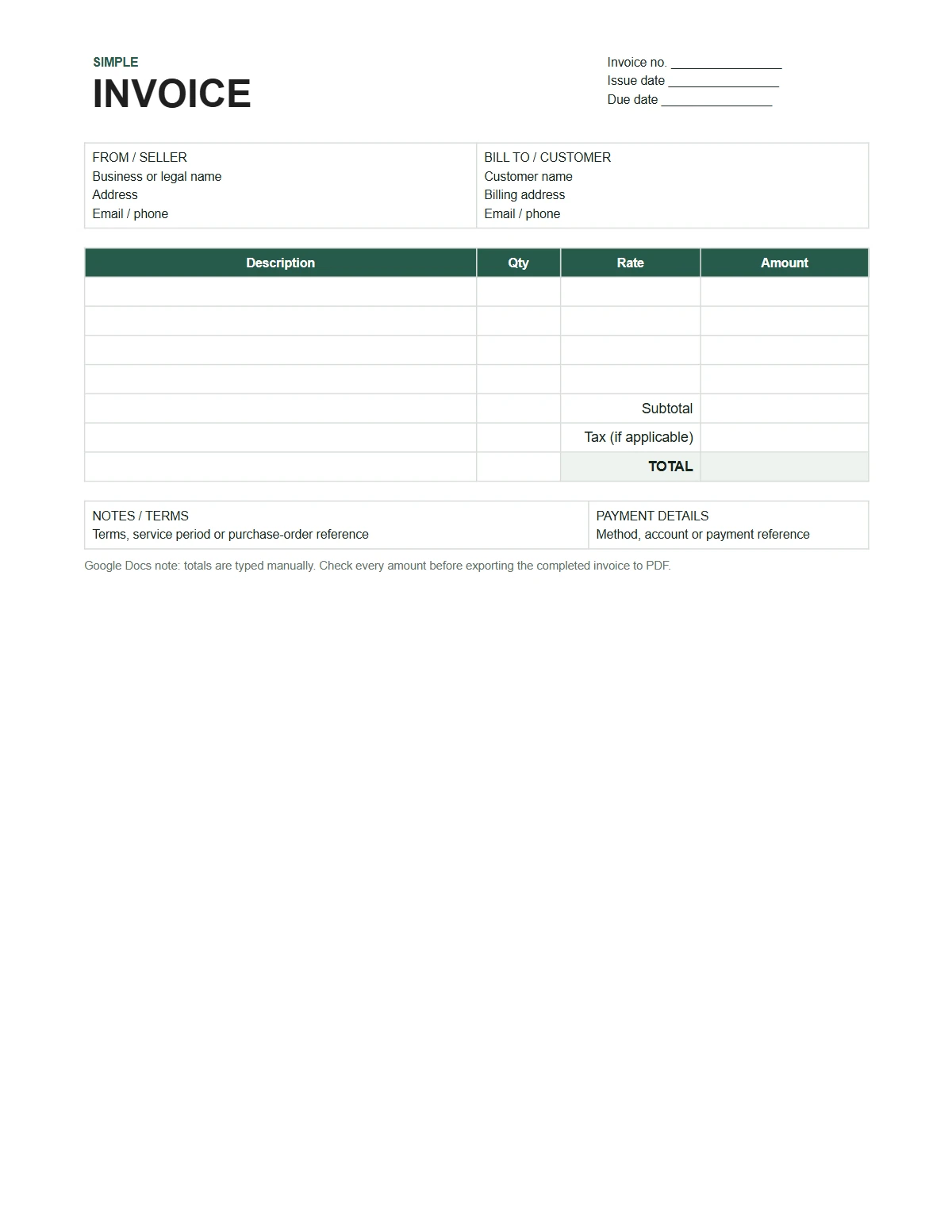
Choose an invoice layout
Simple invoice template
A balanced one-page invoice for straightforward products or services, with blank item rows and a compact totals block. The preview shows three filled example rows.
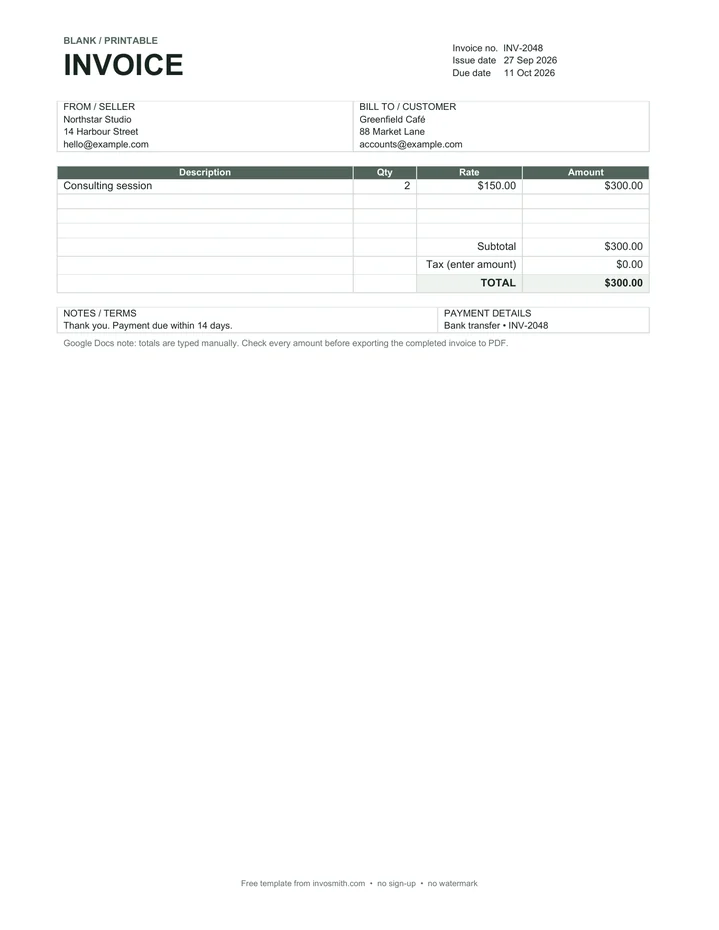
Blank printable invoice
A quieter layout with extra empty rows for businesses that want to print first or enter only a small number of charges.
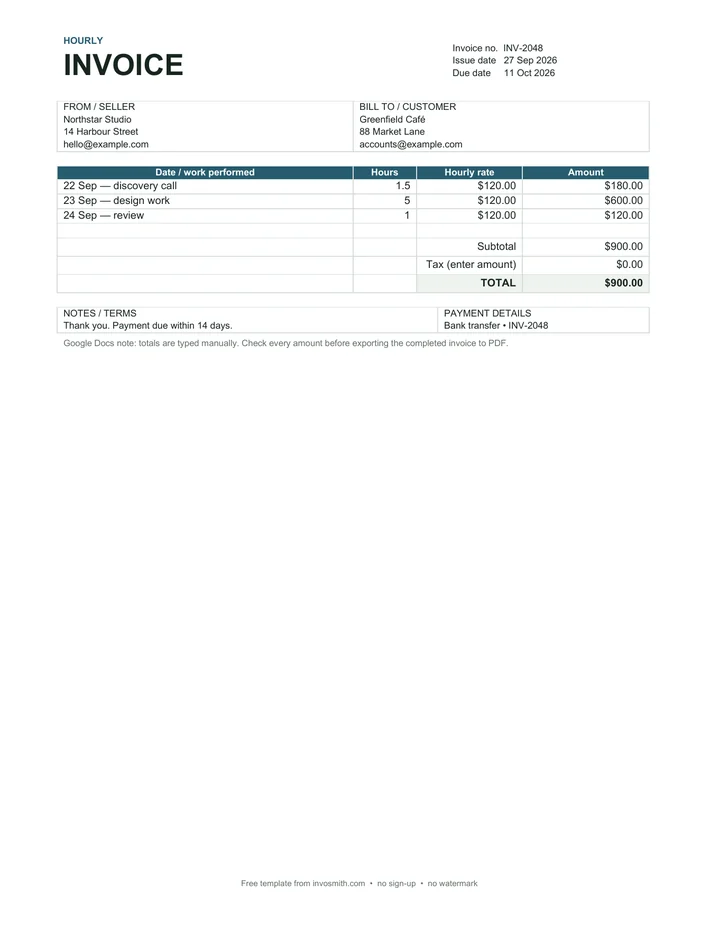
Hourly invoice template
A time-based layout with work dates, hours, hourly rates and line amounts for freelancers and hourly service work.
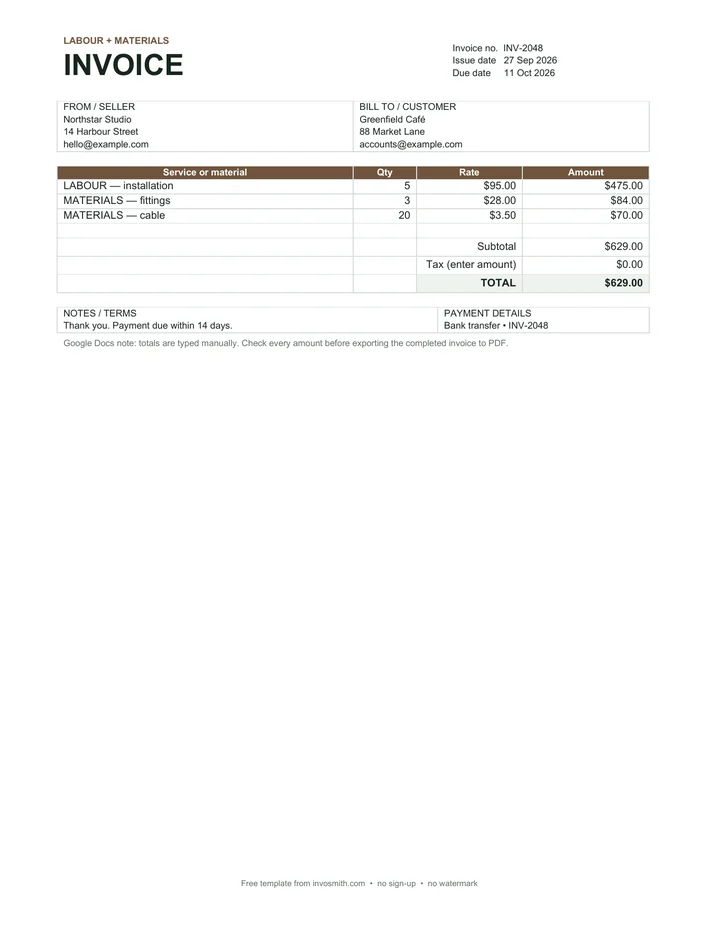
Service invoice template
A labour-and-materials layout that keeps service work and supplied items legible without turning the invoice into a job report.
Invoice template with logo
A branded header layout with a clear logo placeholder and business-name area for a more recognizable customer-facing invoice.
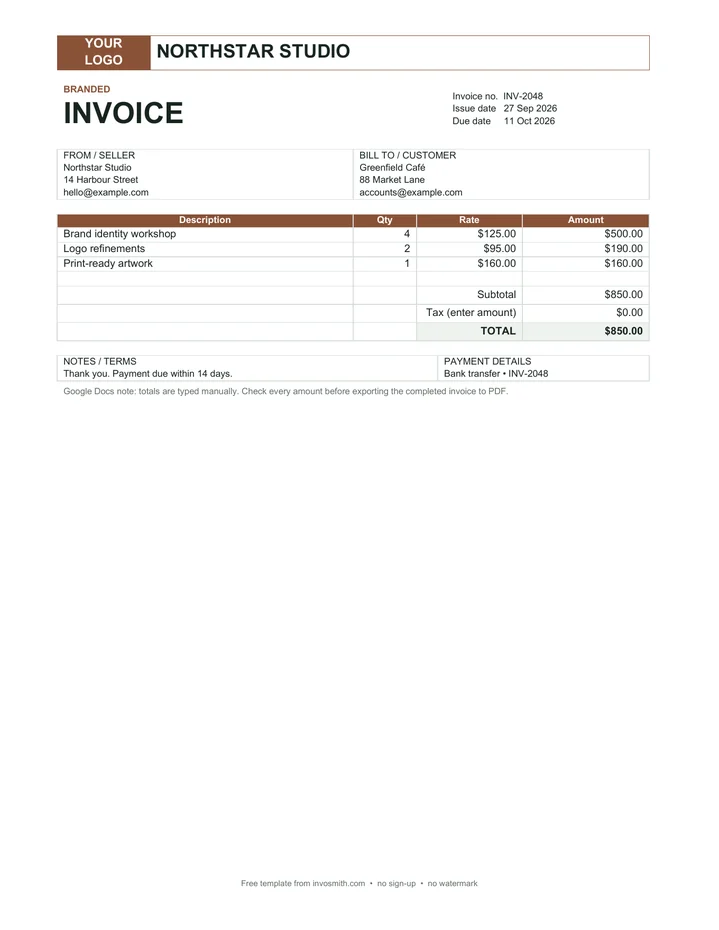
Each copy button opens Google's Make a copy screen for a clean, read-only master. The same five layouts remain available as direct Word downloads when you prefer a local file.
These are manual-total document templates, not spreadsheets. Recalculate and check every quantity, rate, tax amount and total before sending an invoice.
Choose a blank Google Docs invoice template
Start with the billing task, not the color. The simple invoice is the general-purpose choice when one clean page is enough. The blank printable version leaves more breathing room for handwriting or a short custom list. Use the hourly layout when the customer needs to see dates, hours and rates. Use the service layout when labour and supplied materials belong on the same invoice. Choose the logo version when the customer should immediately recognize the sender.
All five layouts use the same core invoice structure, so choosing a variant does not change the records you need. It changes how the line items are organized and how quickly the customer can understand the charge.
| Layout | Best for | Line-item structure |
|---|---|---|
| Simple | Everyday products or services | Description, quantity, rate, amount |
| Blank printable | Short invoices and print-first workflows | Blank item rows for handwriting or typing |
| Hourly | Freelancers and time-based work | Work date, hours, hourly rate, amount |
| Service | Labour plus supplied materials | Service or material, quantity, rate, amount |
| With logo | Branded customer-facing invoices | Standard items under a branded header |
What to edit before you send the invoice
Replace every example value, including the invoice number, issue date, due date, seller details and customer details. Describe the billed work in language the customer will recognize from the quote, order or agreement. Enter quantities and rates, then type each line amount and the totals. Add a payment method or reference that lets the customer connect the payment to the invoice.
Remove unused rows instead of leaving a long empty table. If you add enough rows to push totals onto a second page, check the page break before exporting. Keep notes short and operational: a purchase-order reference, service period or agreed payment term is more useful than a generic thank-you paragraph.
- Identity: business name, address and contact details; add a logo only if it remains legible in print.
- Document control: a unique invoice number, issue date and due date.
- Customer: the correct person or legal entity and billing address.
- Charges: specific descriptions, quantities or hours, rates and line amounts.
- Totals: subtotal, tax amount when applicable and the final amount due.
- Payment: method, account or reference details and concise terms.
How the Google Docs copy flow works
Each native button points to Google’s Make a copy route for one layout. Google documents the same pattern for sharing copy links: a viewer opens the copy screen, signs in when required, and creates a separate file in their own Drive. The public master remains read-only; the new copy is the user’s document to rename and edit. See Google Workspace’s Make a copy link guidance and Google Drive’s sharing permissions.
If a native button is temporarily unavailable, download the matching Word fallback. Upload the .docx file to Drive, open it with Google Docs and check the layout before editing. Conversion can alter spacing or page breaks, so review the final PDF rather than assuming the uploaded file stayed pixel-identical.
Google Docs vs Google Sheets for invoices
Google Docs is the layout-first choice. It is convenient for wording, a compact item table, a branded header and a one-page PDF. Google Sheets invoice templates are the calculation-first choice: formulas can update line amounts and totals when quantities, rates or a user-entered tax rate change.
Choose Docs when the invoice is short and the presentation is the hard part. Choose Sheets when you expect many rows, repeated calculation changes or a running workbook. Neither format replaces a bookkeeping system when you need customer balances, payment status, recurring billing or reporting across many invoices.
| Need | Google Docs | Google Sheets |
|---|---|---|
| Clean one-page document | Strong fit | Possible, but print setup takes more care |
| Automatic line math | No — totals are typed manually | Yes, when formulas are present |
| Long item list | Becomes harder to paginate | Rows are easier to extend |
| Branded wording and layout | Easy to edit | More grid-oriented |
| Invoice tracking | Not built in | Possible with a separate summary sheet |
Manual totals: the important Google Docs limitation
These Google Docs templates deliberately contain no hidden formulas. Docs tables are document layout, so changing a quantity or rate does not recalculate the amount, subtotal, tax or total. Work out the numbers separately, type them into the document and perform a second check from the line items upward.
A useful check is to multiply each quantity or hour figure by its rate, add the line amounts, add the tax amount only when it applies, and compare that result with the final amount due. If calculations change frequently, move the work to the Excel invoice template or Google Sheets instead of maintaining two sets of numbers by hand.
Export a final PDF without losing the editable copy
Keep the editable document as the working file and send a fixed PDF as the customer copy. Before downloading, use Print Preview to confirm that the totals, notes and payment details remain on the intended page and that no placeholder text survives. Google’s official create, view or download help covers downloading a Google Doc, including as PDF.
Name the final file with information both sides can retrieve later, such as INV-2048-Greenfield-Cafe.pdf. Do not place sensitive banking details in a public master template. Add only the payment instructions needed for the customer, and share the final invoice through the channel you normally use for business records.
A filled example: hourly design work
The hourly preview shows three dated entries: a 1.5-hour discovery call at $120, five hours of design work at $120, and one hour of review at $120. The line amounts are $180, $600 and $120, producing a $900 subtotal before any applicable tax. Enter tax separately only when it applies.
What makes this useful is the task-level description. “Design work” alone may be too broad when a customer is checking an agreed scope. A short date plus recognizable activity gives the customer enough context without turning the invoice into a timesheet. If the agreement requires detailed time records, attach those separately and keep the invoice readable.
Frequently asked questions
Do I need a Google account?
You need a Google account to create and keep a native copy in your Drive. The five Word fallbacks are direct downloads and do not require a Google account.
Does Google Docs calculate invoice totals?
No. These Docs layouts use ordinary tables. Quantities, rates, line amounts, tax and totals are entered and checked manually.
Can I send the invoice as a PDF?
Yes. Download your completed copy as a PDF before you send it.
Can I add my logo and brand colors?
Yes. Start with the logo layout, replace the placeholder, and adjust the accent color if needed. Check the printed PDF afterward because a large image can change spacing.
Can I use the template for hourly work?
Yes. The hourly version includes a work-date column, hours, hourly rate and amount. Add a separate timesheet only when the customer or agreement requires more detail.
Should I use Google Docs or Google Sheets?
Use Docs for a short, presentation-first invoice. Use Sheets when formulas, many line items or a separate invoice summary are more important.