Free Invoice Template for Microsoft Word
Choose from six Word invoice styles and seven editable .docx files: Simple, Hourly / Service, Itemized / Product, Deposit & Balance, Letterhead, plus separate Australia tax-invoice and UK VAT-invoice layouts. Line amounts and totals use real Word formula fields, tested in desktop Microsoft Word. Every file is free to download with no account and no watermark. Tax rates and tax amounts stay under your control — these templates never choose a jurisdiction or infer tax for you.
Download a Word invoice template
Simple Word invoice template
The general-purpose layout: quantity × rate line formulas, subtotal, a tax amount you enter and the final total.
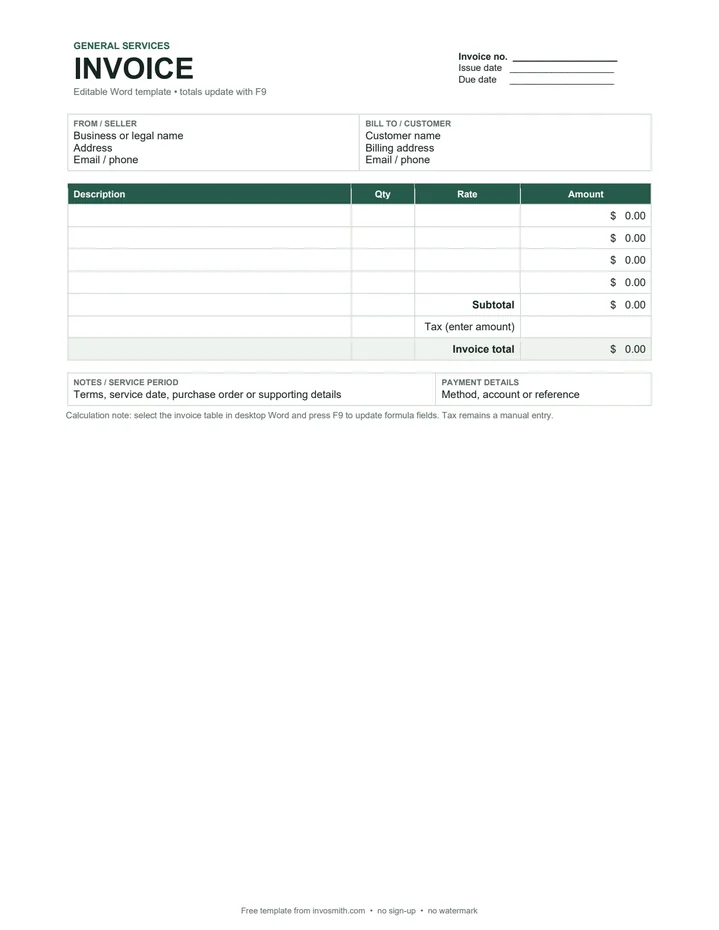
Hourly / service invoice template
For consultants and service businesses: work performed, hours, hourly rate and calculated line amounts.
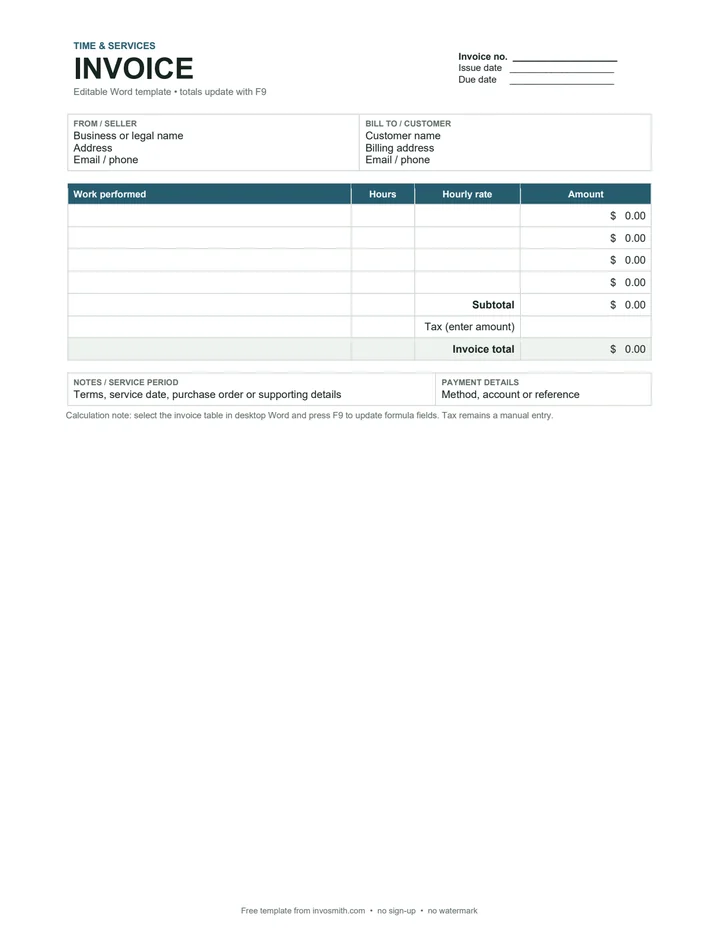
Itemized / product invoice template
A product-focused layout with item, quantity, unit price and calculated amount columns.
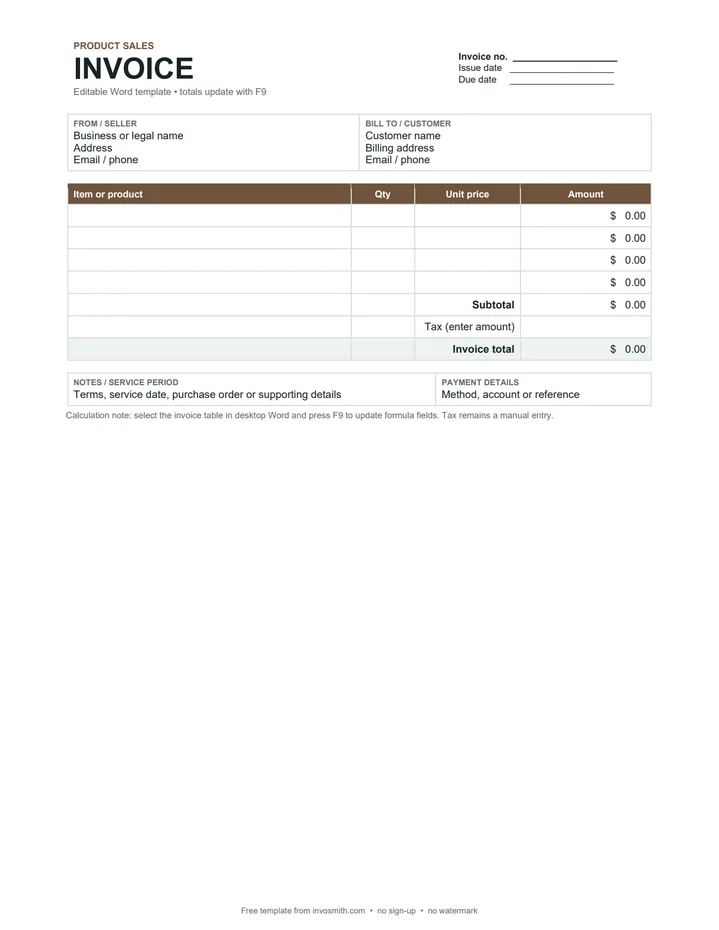
Deposit & balance invoice template
Shows the invoice total, a deposit amount you enter and a formula-calculated balance due.
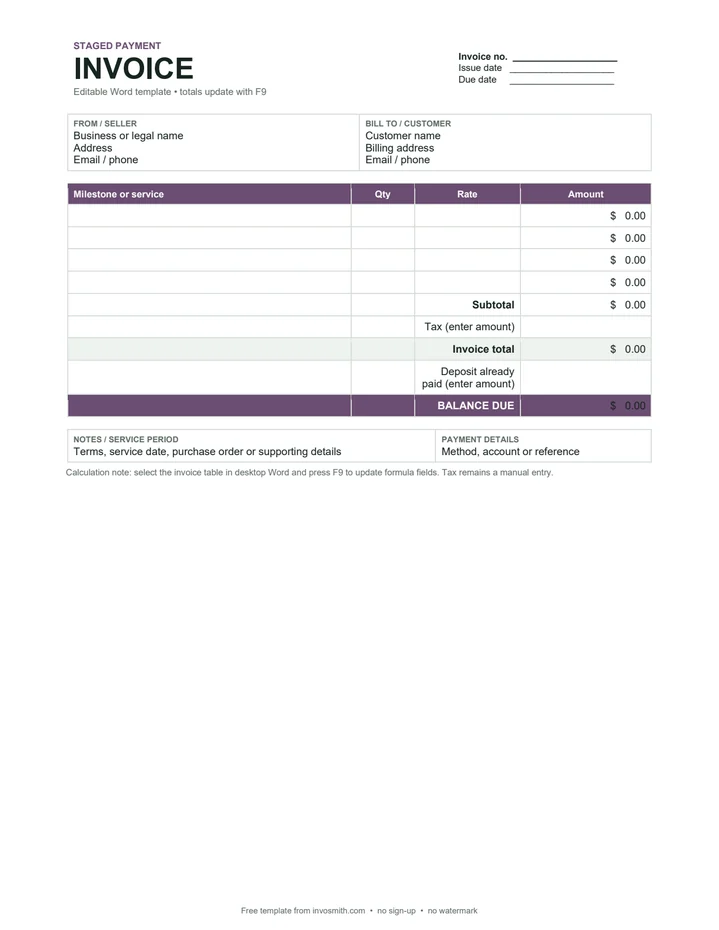
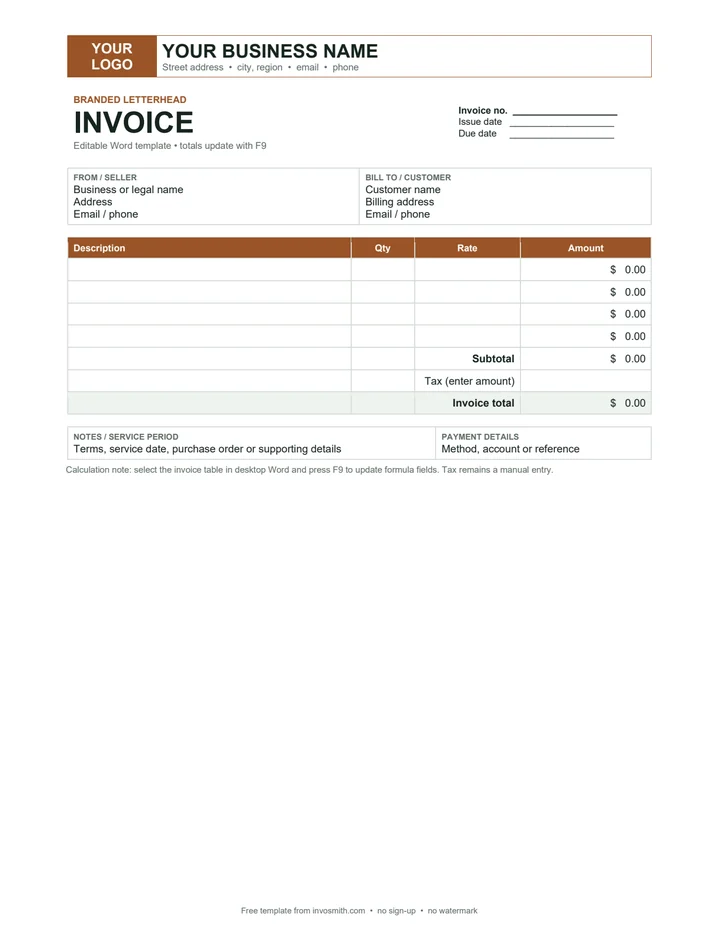
Branded letterhead invoice template
A stronger business header with a logo position, contact line and the same working invoice formulas.
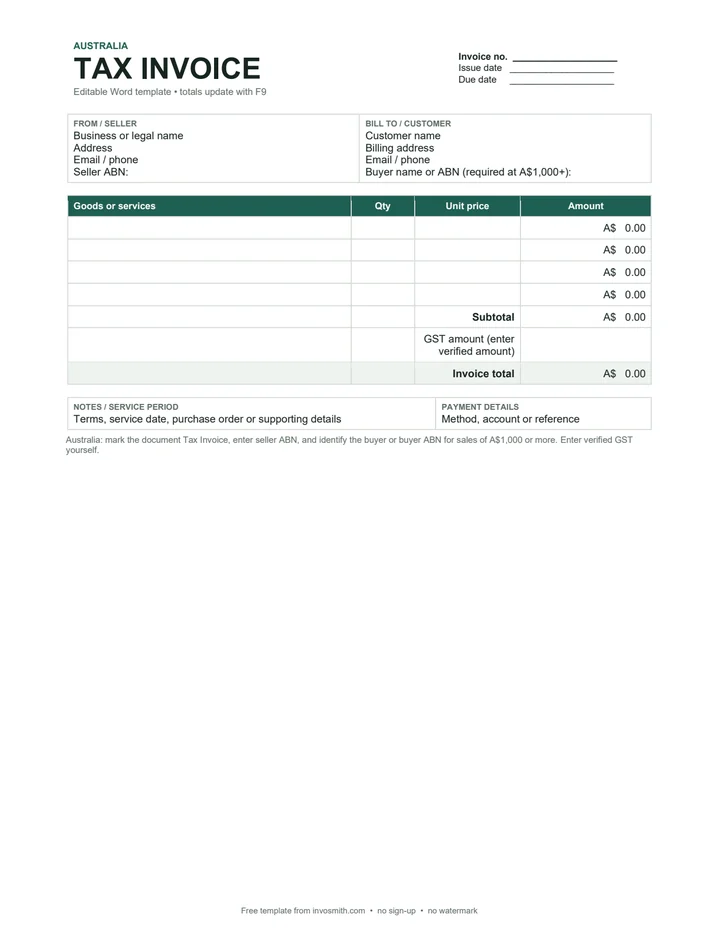
Australia tax invoice template
Marked Tax Invoice, with seller ABN and a buyer identity / ABN field for A$1,000-and-over sales. GST is entered manually.
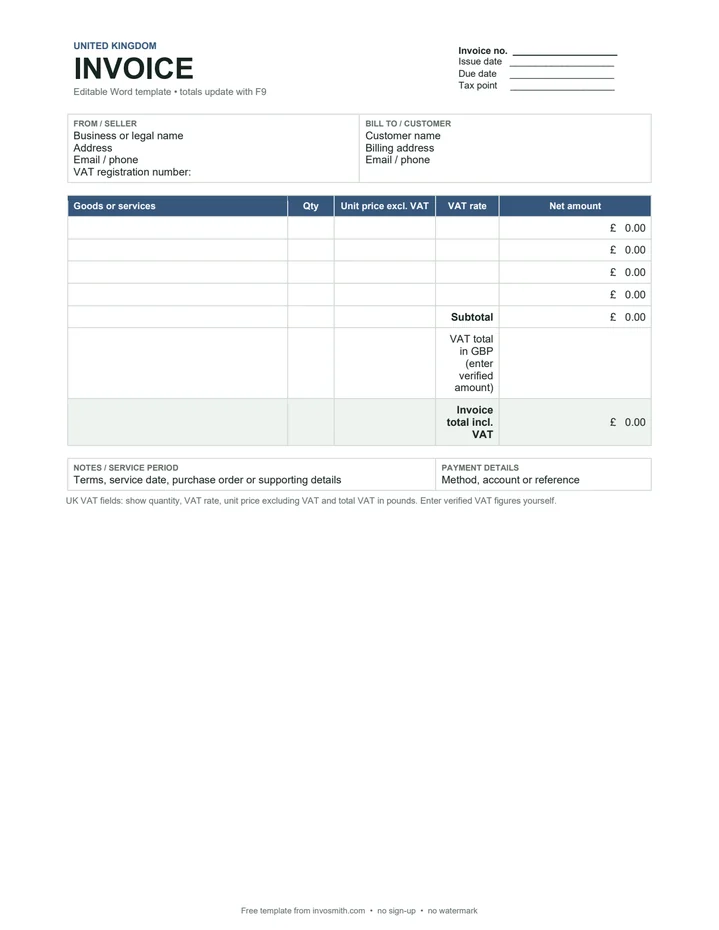
UK VAT invoice template
Adds VAT registration number, tax point, VAT-rate column and a manual VAT total in pounds.
The six style families produce seven files because the Tax / VAT family has separate Australia and United Kingdom versions.
DOCX is the editable template. The matching PDF is a one-page preview and printable blank copy; it does not keep Word formula fields.
Formula behavior was verified in desktop Microsoft Word. We do not claim that Word for the web recalculates these fields.
Which Word invoice should you use?
Pick the layout by the job the document must do, not by decoration alone. Simple fits a short general invoice. Hourly / Service makes hours and rate explicit. Itemized / Product is clearer for quantities of goods. Deposit & Balance separates what has already been paid from what remains due. Letterhead gives a reusable branded header. The Australia and UK files add fields tied to those markets, but they still require you to enter verified tax information.
These are Word-format templates, not industry-specific compliance forms. If the invoice needs trade fields — load number, project stage, patient record or customs classification, for example — start from the relevant industry or document page instead of forcing every field into a generic template.
How to make an invoice in Word with the template
Download the .docx, open it in desktop Word and save a working copy before editing. Replace the seller and customer placeholders, then complete the invoice number, issue date and due date. Add one item or service per row. Enter the quantity and rate as plain numbers; the Amount cell is a Word formula field.
- Name the parties clearly. Use the seller identity and contact details that belong on the transaction, then identify the customer being billed.
- Use one invoice number. Keep a sequence you can reconcile later and do not reuse a number for a different invoice.
- Describe each charge. “Design consultation — 4 hours” is easier to approve than “services”. Include a service or supply date when it differs from the invoice date.
- Enter quantity and rate. The formula field calculates each line amount. In the UK VAT layout, VAT rate is a separate manual field and the net line amount multiplies quantity by the unit price only.
- Enter tax only after checking it. The tax / GST / VAT amount cells are intentionally manual. The files do not decide whether a supply is taxable or select a rate.
- Check payment instructions. Add the payment method or reference and any agreed terms before exporting the final PDF.
How Word calculates line amounts and totals
The amount cells use Word table formulas. General, hourly, itemized, deposit, letterhead and Australia line rows use =PRODUCT(LEFT): Word multiplies the numeric quantity or hours by the rate to the left. The subtotal uses =SUM(ABOVE). The UK layout uses explicit quantity × unit-price cell references so the separate VAT-rate column is not multiplied into the net amount.
After changing quantities or rates, select the invoice table and press F9 in desktop Word to update its fields. Microsoft documents PRODUCT(LEFT), SUM(ABOVE) and manual field updating in Use a formula in a Word table. We tested the shipped Simple file in desktop Word: quantity 2 at a rate of 50 updated the line amount, subtotal and invoice total to 100.00. The web version of Word was not part of that test, so use desktop Word when formula updating matters.
Save your edited invoice as a reusable Word template
A .docx is an ordinary document. Once your business details, logo, payment instructions and preferred wording are set, keep one clean master and use File › Save As for each invoice. If you want Word to create a new document whenever the master opens, save a separate copy as Word Template (.dotx). Keep the downloadable .docx too; it is the easier format to share with a colleague who only needs to edit the invoice.
Do not put a real customer, bank reference or completed invoice number into the reusable master. Those details belong in each working copy, not in the template that starts the next invoice.
Export the finished Word invoice to PDF
Update the formulas first, then open File › Save As or File › Export and choose PDF. Check the saved PDF before sending it: confirm the total, page count, line wrapping, payment details and whether any unused blank row should be removed. Send the PDF to the customer unless they specifically asked for the editable Word file. A PDF preserves the layout and avoids exposing formula fields or accidental template text.
The PDF links above are blank previews of each style. Editing the PDF does not update the associated DOCX, and the PDF itself has no live Word formulas.
Word vs Excel vs Google Docs vs an online invoice maker
The right format depends on whether layout control, calculation depth, browser access or speed matters most.
- Use the Excel invoice templates for spreadsheet-first formulas.
- Use the Google Docs invoice template when Drive collaboration is the priority.
- Use the free invoice maker when you want to fill the fields online and download a PDF without formatting a document.
| Format | Best for | Trade-off |
|---|---|---|
| Word | Branding, wording and a familiar document layout | Formula fields need an F9 update in desktop Word |
| Excel | More rows, visible formulas and repeat calculations | Print layout needs checking after rows change |
| Google Docs | Browser collaboration and a copy in Drive | Requires a Google account to make a private copy |
| Online invoice maker | Filling one invoice quickly and exporting a PDF | Less control over the underlying document structure |
What information belongs on an invoice?
A practical invoice normally identifies the seller and customer, uses a unique number, describes the goods or services, records the relevant dates, shows each amount and states the total due. Local tax rules can add fields. The country layouts here are editable starting points, not a certification that an incomplete file meets every rule for your transaction.
| Market | What the official source says | Template boundary |
|---|---|---|
| United Kingdom — general invoice | GOV.UK lists a unique number, seller and customer details, description, supply and invoice dates, amounts, VAT if applicable and total owed. | Use the general UK details as a checklist; entity type and transaction can add requirements. |
| United Kingdom — VAT invoice | HMRC VAT Notice 700 §16.3 adds sequential numbering, tax point, VAT registration details, quantity, rate, tax-exclusive amount, VAT total in sterling and unit price. | The file supplies fields; you enter the verified VAT rate and amount. |
| Australia — tax invoice | ATO tax-invoice guidance lists seven identifying and transaction details for sales under A$1,000; at A$1,000 or more it also requires the buyer identity or ABN. | The AU file has seller ABN and buyer identity / ABN fields; you enter verified GST. |
Choose a Word template by document or industry
Keep format intent on this page and use a more specific template when the document itself changes. For an international shipment, use the commercial invoice template. For a price offered before work begins, use the quote template. If payment already arrived, use the Word receipt template. Contractors can start with the contractor invoice template, and photographers with the photography invoice template. Each linked page explains its own fields instead of hiding them inside one generic Word download.
Frequently asked questions
Does Microsoft Word already include invoice templates?
Some desktop Word installations show Microsoft templates under File › New when you search for “invoice”. Availability can vary by Word version, account and region. The files here are direct downloads with a consistent field set, matching PDF previews and no Invosmith account requirement.
Can I use these Word invoice templates on a Mac?
Yes, with desktop Microsoft Word for Mac. Edit the .docx, update formula fields and export the finished file as PDF. Keyboard mappings can vary; if F9 controls a hardware feature, use Word’s field-update command or the appropriate function-key modifier.
Do the formulas work in Word for the web?
We did not verify formula recalculation in Word for the web, so we do not promise it. The documents can be downloaded and viewed there, but use desktop Word and press F9 when you need the shipped calculation fields to update reliably.
How should I number invoices in Word?
Use the next unused number in one sequence you can reconcile, such as INV-2026-001, INV-2026-002 and so on. Word does not manage the sequence for you. Keep a register or invoicing system if more than one person issues invoices.
What is the difference between .docx and .dotx?
DOCX is an editable Word document. DOTX is a Word template file designed to start a new document from a reusable master. Download the DOCX first; after adding your fixed branding and business details, save a clean copy as DOTX if that workflow suits you.
Do the Australia and UK files calculate GST or VAT?
No. They calculate quantity × rate, subtotal and the final arithmetic after you enter the tax amount. You remain responsible for checking whether tax applies and entering the verified rate or amount required for the transaction.