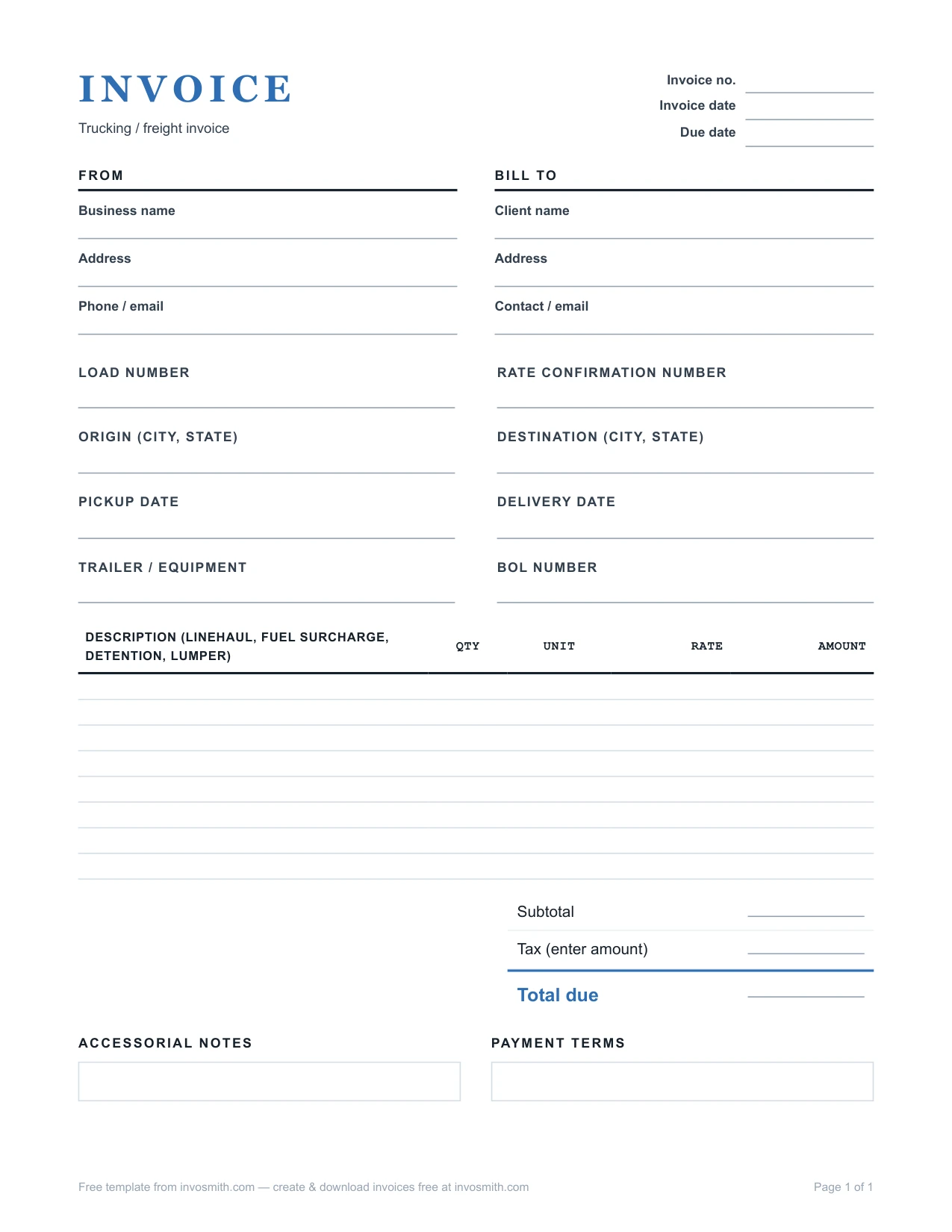
Trucking Invoice Template (PDF / Word)Carrier invoice — load number, lane, rate con reference, accessorial lines and remit-to block.
Open this template in the invoice makerFree template
A trucking invoice is the carrier's bill for completed transport. Use this free PDF or Word template to make the billed party, shipment or load reference, service dates, agreed charge lines and total easy to compare with the records you already have. Include a rate-confirmation, BOL, POD or other reference only when it exists and is useful to the relevant workflow.
Every download is free - no email, no sign-up, no watermark.
Use the identifying details and references that exist for this job and that the billed party needs to reconcile it:
A dry van load from Chicago to Columbus, billed to the broker on the rate con:
The example makes each known charge and reference easy to inspect. It is illustrative: confirm the applicable price, supporting record, tax treatment and payment terms for the actual load before sending an invoice.
| Description | Qty | Rate | Amount |
|---|---|---|---|
| Line haul — Chicago, IL to Columbus, OH, load #88214, rate con #RC-48213 | 1 | 1,275.00 | 1,275.00 |
| Fuel surcharge — per rate con #RC-48213 | 1 | 148.00 | 148.00 |
| Detention — receiver, 2 hrs beyond 2 hrs free, per rate con | 2 | 45.00 | 90.00 |
| Lumper fee — receiver dock, receipt #4471 attached | 1 | 125.00 | 125.00 |
| Subtotal | 1,638.00 | ||
| Tax — enter the amount that applies to you, if any | — | ||
| Total due — Net 30 | 1,638.00 |
A reference does not match. Compare the billed party, entered reference and shipment details with the booking or records you have before sending. Ask the counterparty to confirm anything missing or unclear.
An extra charge needs context. Keep the invoice line readable and retain the agreement, approval, time record or receipt that applies to that charge when the workflow uses one. Charge eligibility depends on the agreement and applicable rules.
A reimbursable expense is involved. Follow the applicable broker or customer instructions. If a receipt or approval exists, make the connection clear rather than folding the amount into an unrelated line.
Payment is assigned to a factor. Use the remit-to and document instructions in the applicable notice or agreement; do not infer them from a generic template.
Several loads are being billed. Use the invoice grouping, references and submission method the customer or broker requires, so each charge can be reconciled to the relevant shipment.
Keep or provide the records that apply to the load and the recipient's process. That may include an available BOL, rate confirmation, POD or receipt for an agreed expense. Reference a record by its existing number when that helps the recipient reconcile the invoice; confirm local, contract and customer requirements separately.
A recipient may need clarification when a billed party, reference, service date, charge or total does not match the records they use. Check the available booking or rate information, copy supplied identifiers exactly and describe separately entered charges clearly. Each broker or customer can have different submission and review requirements.
Use the rate confirmation, agreement and broker or customer instructions before treating a detention amount as billable. If an extra charge is agreed or documented for the load, label its basis clearly.
Use the grouping and submission format the customer, broker or agreement requires. Some workflows reconcile each load separately; others use a statement or a grouped submission with individual references. Keep enough job-level detail for the recipient to match the billed charges to the relevant transport.
For a straightforward freight bill, use the owner-operator Word template or the free invoice generator. Word gives you an editable document; the generator lets you enter line items, review the invoice and download a PDF. Keep the billed party, load reference, service dates and agreed charges consistent with the shipment record. When comparing trucking software, look for the tasks you actually need beyond writing the bill: matching shipment records, organizing supporting documents or managing dispatch. Keep those requirements separate from invoice layout. This template records the details you enter; it does not connect to a broker portal, manage loads or establish whether an extra charge is payable.
Payment timing, discounts and instructions come from the relevant agreement, broker program or customer process; they are not set by this template. Enter only the terms that were agreed for the transaction, and ask the counterparty to clarify anything missing or inconsistent.