Free Itemized Receipt Template (PDF, Word & Excel)
An itemized receipt confirms a payment and shows exactly what the customer paid for, one line at a time. Use this free template when a total-only receipt is not enough: add each product or service, quantity, unit price and line total, then record the tax actually charged, payment method and total paid. Download the fixed PDF to print, the Word file to edit, or the Excel version for live line totals. No sign-up, no watermark.
Download the itemized receipt template
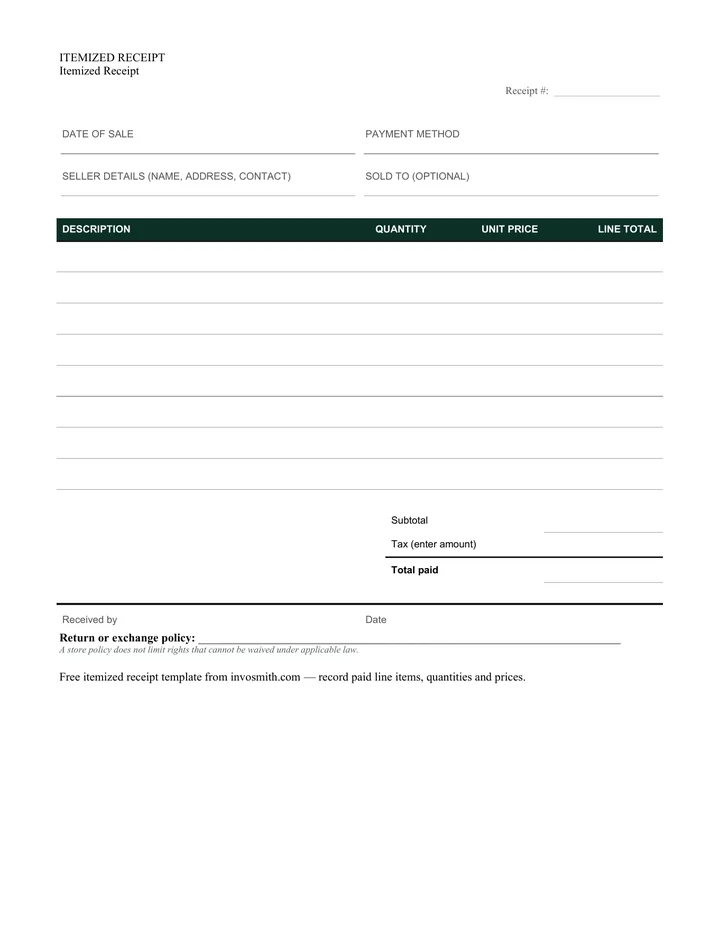
Itemized receipt template
A paid transaction record with twelve line items, quantity, unit price, tax and payment method.
Every download is free — no email, no sign-up, no watermark.
The Word file also opens in Google Docs. In Excel, quantity multiplied by unit price fills each line total and the subtotal updates automatically; enter any tax amount yourself.
What belongs on an itemized receipt
A useful itemized receipt lets someone reconstruct the completed transaction without guessing. Fill the document only with details that were true when the payment was received:
- Receipt number and payment date — use a unique number from your own sequence and the date the money was actually received.
- Seller details — business or seller name, address and a contact for questions or returns.
- Customer name, when useful — optional for a walk-in sale, but useful for services, warranties, reimbursements or deliveries.
- One description per product or service — identify what was bought rather than using a vague label such as “goods” or “work”.
- Quantity, unit price and line total — these three columns show how every amount was formed.
- Subtotal, tax and total paid — record the tax amount that was actually charged. The template does not choose a rate for you.
- Payment method and received by — note cash, card or transfer reference and the person who accepted the payment.
Filled itemized receipt example
A repair shop receipt might contain both parts and labor. Keeping them on separate lines makes the amount easy to check and gives the customer a useful record:
| Field | Example |
|---|---|
| Receipt number | R-0193 |
| Date paid | September 27, 2026 |
| Seller | Northside Repair Co. |
| Line 1 | Kitchen faucet cartridge — 1 × $38.00 = $38.00 |
| Line 2 | Replacement labor — 1.5 hours × $72.00 = $108.00 |
| Subtotal | $146.00 |
| Tax entered | $3.04 |
| Total paid | $149.04 |
| Payment method | Card |
Itemized receipt, sales receipt and invoice: which one?
Use this page when the immediate job is to download a line-by-line receipt. Use the sales receipt template when the context is specifically goods sold and paid for at the point of sale. Use an invoice when payment is still being requested rather than confirmed.
If you need the definition, common use cases and a detailed receipt-versus-invoice explanation, read what an itemized receipt is.
How to use each file format
Choose the format around what you need to do next, not around the software name:
- PDF — print a fixed blank form and write on it, or keep the layout unchanged when sharing.
- Word — change labels, add a logo or adjust the policy line before issuing the receipt.
- Excel — enter quantities and unit prices repeatedly; line totals and the subtotal recalculate, while tax remains a manual input.
Frequently asked questions
Is an itemized receipt the same as an invoice?
No. An invoice requests payment; an itemized receipt confirms payment already received. Both may show line items, but they describe different stages of the transaction.
Does the Excel template calculate tax?
No. It calculates each quantity × unit price, the subtotal and the final total after you enter a tax amount. You choose and enter any applicable tax yourself.
Can I use the template for services?
Yes. Describe each service as its own line and use quantity for hours, visits or units where that makes the amount clearer.
What if I only need a normal sales receipt?
Use the sales receipt template for the broader goods-sold-at-payment use case. This page is deliberately optimized for people who specifically need line-by-line itemization.