FREE
Build the full document
Switch between invoice and estimate, add your logo, choose one of seven industry presets, then enter invoice numbers, dates, payment terms, a PO number and payment instructions.
FREE DOCUMENT WORKSPACE
Make an invoice in a focused editor and watch the document update beside it. Download a clean PDF with no sign-up or watermark.
What the editor includes
The invoice maker covers the complete document before asking you to sign in. Each capability below shows where the free editor ends and where Account or Pro workflow begins.
Switch between invoice and estimate, add your logo, choose one of seven industry presets, then enter invoice numbers, dates, payment terms, a PO number and payment instructions.
Add and drag line items into order, use quantity × rate, enter a discount or tax amount, and choose from 20 currencies. Invosmith calculates the document totals from the amounts you enter.
Choose Classic, Modern or Trade, check the live customer preview and download a clean PDF. The free PDF has no watermark and does not require an account.
A signed-in workspace can keep clients, default payment instructions and reusable items, and it lets you record payments and export document data as CSV.
Pro can send the invoice by email, keep delivery and view status with the document, schedule overdue follow-ups and prepare recurring invoices for review.
Three steps
Work in the same order your customer reads the document: who it is from, who it is for, what was supplied and what is due.
Keep Invoice selected or switch to Estimate, then choose General or an industry preset. The preset changes the line-item prompt, quantity label and practical notes without locking the form.
Add your business and customer details, invoice number, issue date and due date. Describe each product or service on its own line, then enter its quantity and rate.
Review the live preview, choose the layout and confirm the totals and payment instructions. Download the PDF when the document says exactly what you intend to send.
Field by field
Complete the fields in the editor from top to bottom. These short explanations match the form; the step-by-step guide to making an invoice goes deeper into wording and document structure.
Use From for the business or person issuing the invoice. Use Bill to for the customer receiving it; the optional email and address fields keep delivery details next to the name.
Give each invoice a unique number that you can find again. Invosmith starts with INV-001, and you can replace it with the numbering pattern you already use.
The issue date records when you created the invoice. The due date and payment terms tell the customer when you expect payment, whether that is on receipt or after a set number of days.
Name the work or product in plain language, then enter quantity and rate. Use separate lines when the customer should be able to match each amount to a deliverable, visit, hour block or material.
Enter a discount or tax amount only when it applies to this invoice. The editor does not choose a tax rate for you; it adds the amount you enter to the totals shown in the preview.
Payment instructions are where you can provide the method and reference the customer should use. Notes are better for a short thank-you, scope reminder or delivery detail.
Seven starting points
A preset fills practical prompts and notes; it does not decide the final scope or price. You can replace every prefilled line. For the other half of the shared trade preset, compare the dedicated plumbing invoice templates.
A neutral service line and a simple thank-you note for work that does not need industry-specific fields.
Browse invoice templatesUses Hours as the quantity and starts with a consulting line plus 30-day payment wording.
Freelance invoice templatesAdds a job address, starts with a materials line and includes deposit-to-balance wording.
Contractor invoice templatesAdds vehicle year, make, model, odometer and VIN fields, with a parts-focused line-item prompt.
Vehicle service templatesStarts with a room-based deep-clean line and concise payment-on-completion wording.
Cleaning invoice templatesStarts with a service-call and diagnostics line, with payment-on-receipt wording and a job address.
HVAC invoice templatesStarts with a coverage package and notes for agreed usage rights and delivery balance.
Photography invoice templatesChoose the right starting point
The homepage is the fastest route to a simple document. This full editor is for invoices that need more client details, discounts, payment instructions, a PO number, 20 currencies, three layouts or a logo.
When one invoice becomes a workflow
The free editor remains available on its own. Pro adds the work that starts after the PDF: email delivery, view status, overdue follow-ups, recurring schedules and AI-prepared drafts. Compare the current boundary on the pricing page.
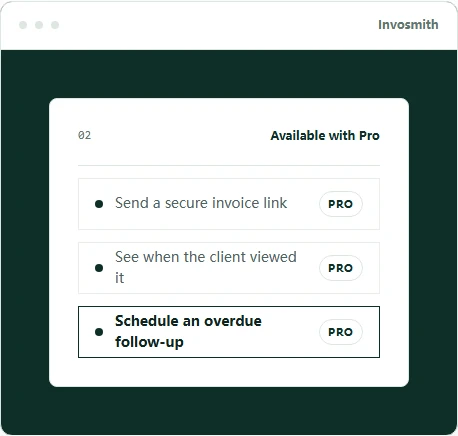
Send a secure invoice link, keep delivery and view status with the invoice, and schedule a polite follow-up when the balance is overdue.
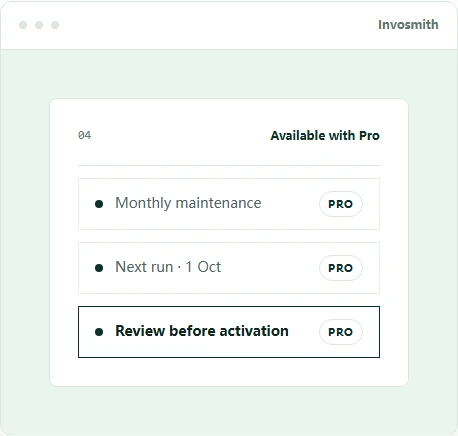
Keep a repeat schedule and review the next run before it continues. If the source is a description or job file, the AI invoice generator can prepare a draft for confirmation.
Continue from here
Good to know
Clear answers about free PDFs, accounts, logos, currencies and data.
Yes. You can create, preview and download the finished invoice as a PDF for free.
No. You can create, preview and download an invoice without an Invosmith account or watermark.
No. The PDF is a clean customer document without an Invosmith watermark.
Yes. Upload a logo in the editor and check its placement in the live preview before downloading.
This free page creates a document. Pro workspaces can send a hosted invoice and accept secure card payments after connecting Stripe.
The editor includes 20 currencies: USD, EUR, GBP, AUD, CAD, NZD, JPY, CNY, HKD, SGD, INR, KRW, CHF, SEK, NOK, DKK, MXN, BRL, ZAR and AED.
Yes. Switch the editor to Estimate or open the estimate generator when you need to price proposed work before approval.
The free editor keeps the current draft in this browser. Signed-in workspace features store the records you choose to save to your account.
The homepage is a faster starting point for a simple invoice. This full editor adds industry presets, more business and client fields, a PO number, discounts, payment instructions, 20 currencies, three layouts and a logo.